
Subscribe to Self-Hosting Weekly with GitHub's Watch Button
I've been putting together a weekly report on useful self-hosted, open-source apps. It leans toward productivity tools, personal utilities, and practical replacements for paid SaaS, with only a little homelab infrastructure.
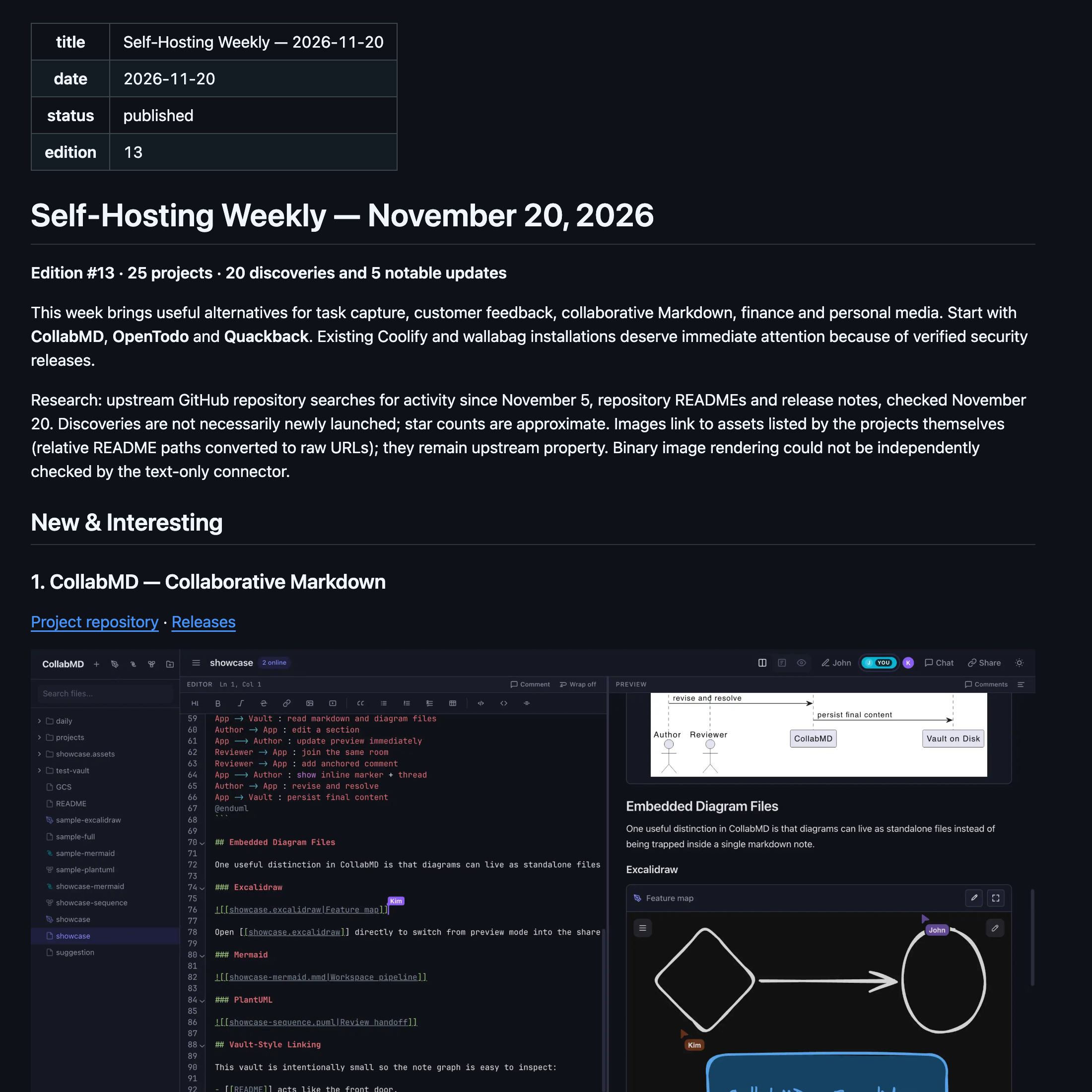
This week's edition has 25 projects, including a collaborative Markdown editor that works on your existing folders, a Todoist-style task app, and a Canny alternative for indie developers.
Home labbing and self-hosting can be a deep rabbit hole, but it's hard to find quality, active projects. So many YouTube channels keep regurgitating the same dozen or so projects, but I wanted to go deeper and find some hidden gems.
It's 13 editions in, and the archive is now public on GitHub:
github.com/codysechelski/self-hosting-weekly
No newsletter, no signup form
I didn't want to run a mailing list for this. Every new edition is published as a GitHub Release, so GitHub's Watch button already works as a subscribe button. If you have a GitHub account, here's how to subscribe:
- Go to the repository.
- Click Watch at the top right.
- Choose Custom.
- Check Releases and click Apply.
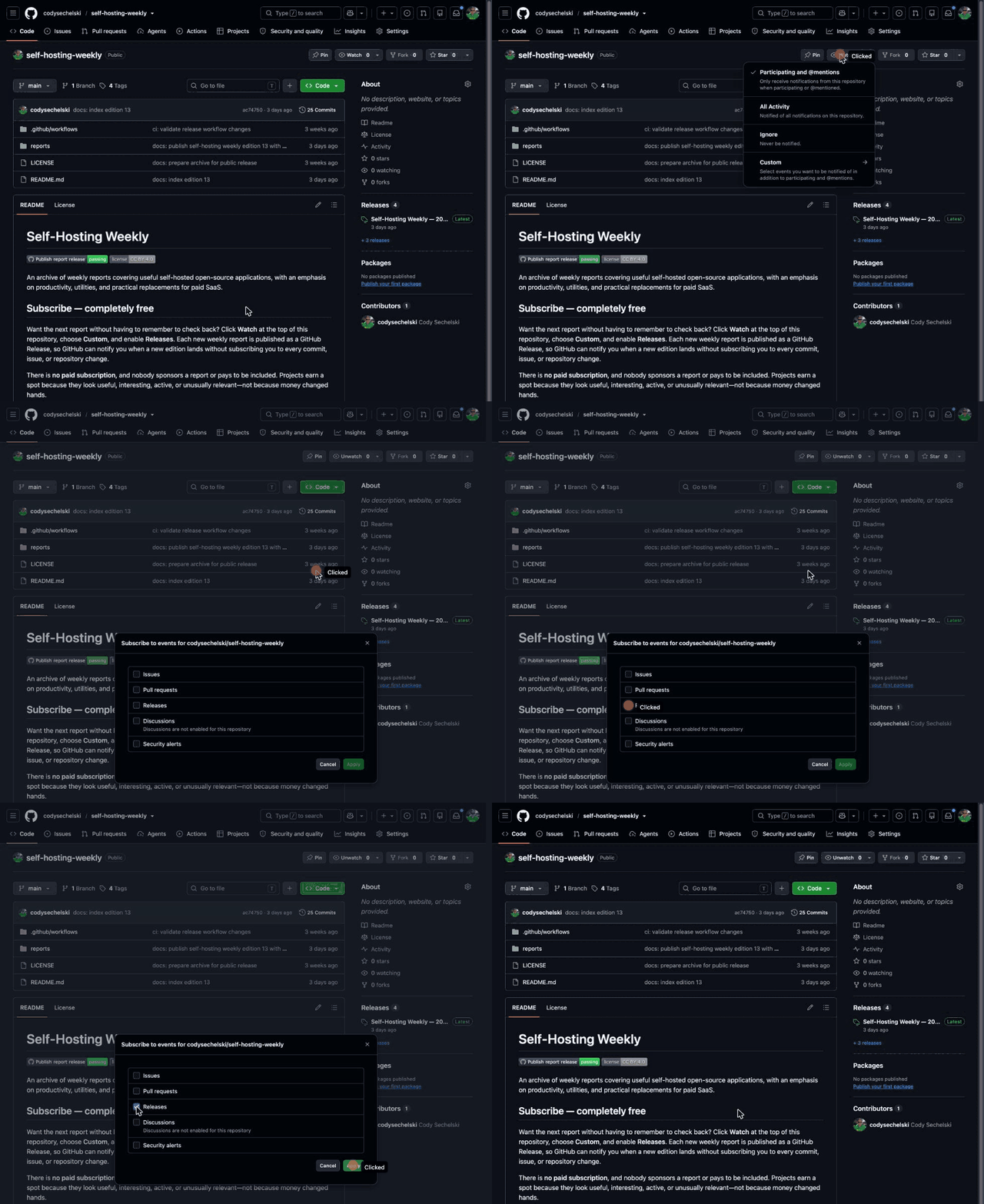
After that, GitHub notifies you whenever a new edition comes out. You get the notification by email or in the GitHub app, whichever you've set up in your GitHub notification settings. Since you only picked Releases, you won't hear about commits, issues or other repo activity. You just get the new report.
⭐
If you find this project helpful, starring the Repo would be a huge help and a great way to help others discover it.
To stop, click Unwatch and pick Participating and @mentions.
It's free, and nobody pays to be included
There's no paid tier, and no sponsored picks. A project makes the list because it looks useful, interesting, active or unusually relevant, not because anyone paid for the spot.
Yes, AI helps write it
To be upfront about it: these reports are generated with AI. I set the curation rules and priorities, and AI does the weekly research, comparison and drafting. That's how a solo side project can come out every week.
Browse the archive
Every edition is in the repo as plain Markdown, and you can read it right on GitHub. The original report text is licensed under CC BY 4.0. If you find something good, or know a project that should be in a future edition, I'd love to hear about it.